
StockPhotoScout

Most contributors upload and hope. Top contributors check before they upload.

Find Adobe Stock ideas buyers search for.

Find buyer-led themes, generate assets, check similarity risk, prepare metadata, and scale with Auto Upload.

100,669 Buyer-Led Themes Generated From custom theme batches
287,328 Auto-Uploaded Assets Based on successful uploads
38,310 hours Estimated Manual Hours Saved Estimated at 8 minutes per asset
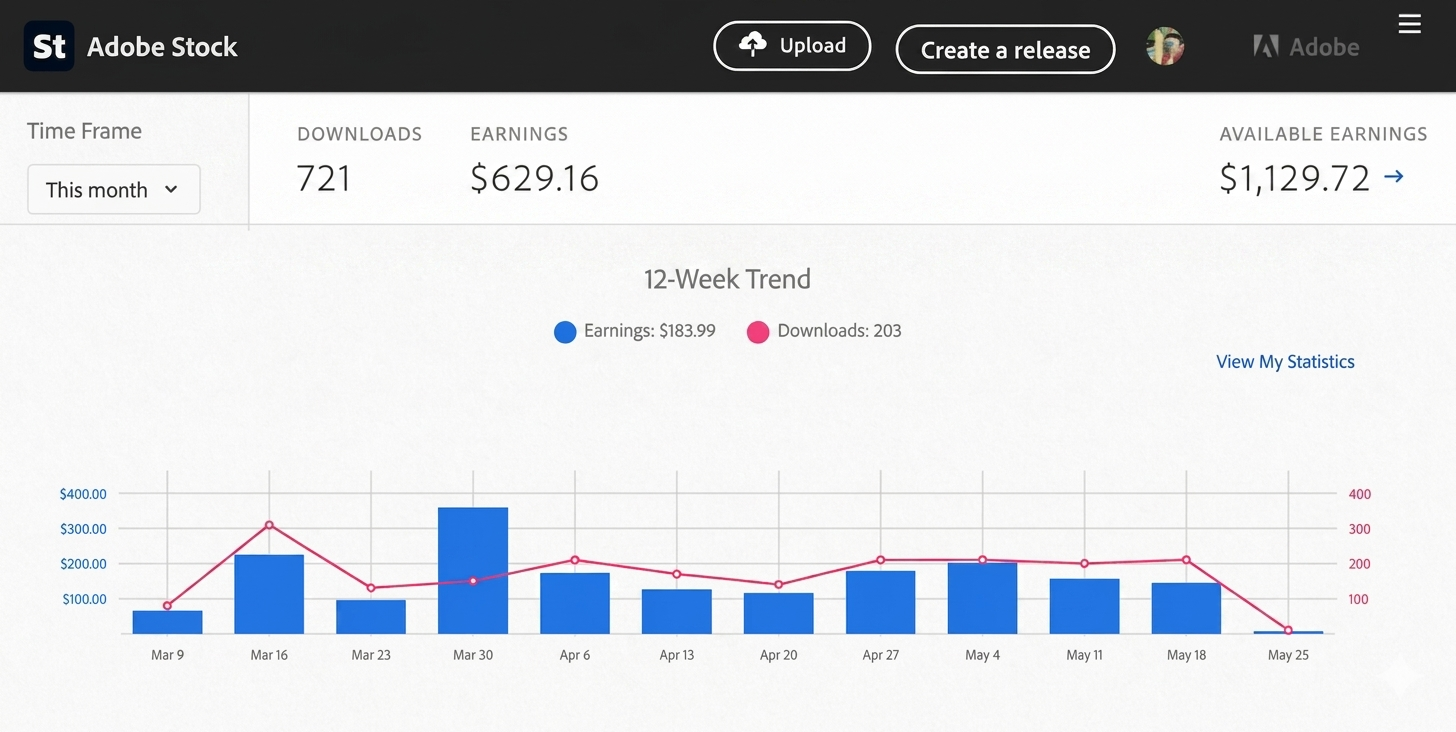
Adobe Stock revenue screenshot
Adobe Stock revenue screenshot not loaded

Find buyer-led stock ideas before you generate.

Each idea includes demand, scarcity, buyer use cases, prompt direction, and metadata angles.

Nasi tumpeng cone with batik and sample image
Seasonal Marketing

Nasi tumpeng cone with batik and

Tourism ads / Social posts / Hotel campaigns

Tourism ads, hotel campaigns, event posts

36 Opportunity
29 Scarcity
17% Sell-through

Classical music manuscript with sample image
Low-Competition Search

Classical music manuscript with

Business articles / SaaS websites / Workplace visuals

Specific long-tail search, less broad-stock overlap

75 Opportunity
100 Scarcity
20% Sell-through
Cross-section of dried saucisson sample image
Editorial Concepts

Cross-section of dried saucisson

News reports / Health explainers / Medical articles

Science and health explainers need neutral visuals

75 Opportunity
100 Scarcity
23% Sell-through
Diorite slab texture, natural stone sample image
Stock Bestsellers

Diorite slab texture, natural stone

Ecommerce hero images / Ad banners / Brand layouts

Ecommerce layouts need reusable product backgrounds

78 Opportunity
100 Scarcity
22% Sell-through

From buyer angle to upload-ready batch.

Pick a theme, generate assets, prepare metadata, and upload the batch without stitching tools together.

01

Pick buyer-led themes

Start with demand, scarcity, and buyer use, not blank prompts.

03

Put first 10 keywords to work

Build titles and first 10 keywords around visible subjects and buyer search intent, not generic filler.

Turn buyer-led themes into up to 1,000 searchable stock assets a day, with just a few clicks.

Auto Upload packs buyer-led theme research, premium prompts, similarity control, first 10 keyword ordering, metadata, queueing, and batch submission into one low-cost system, so you can build a real stock library, not a pile of random images.

FAQ

What does StockPhotoScout do?

StockPhotoScout helps Adobe Stock contributors with four painful jobs: choosing themes that may sell, writing AI image prompts, preparing titles and keywords, and avoiding repetitive batch uploads. It connects theme discovery, prompt writing, metadata, image generation, and upload tasks so contributors can prepare more stock-ready assets in less time.

Do I need to generate AI images myself? Which AI image model should I use?

You can generate images inside StockPhotoScout. The workflow uses GPT Image 2 for higher-detail stock assets, then lets you download the batch or continue into Auto Upload.

What themes does Auto Upload cover?

Auto Upload has two options:
- General Themes: choose this when you want to start image generation and upload quickly.
- Custom Themes: generate your own theme batch first, then use that batch for image generation and upload.

What does a custom theme generate?

Each custom theme includes an AI image prompt, English title, keywords, and a plain reason why the topic is worth making. You can use the package for batch image generation or take only the theme and prompt into your own workflow.

How are images sent to my contributor dashboard when using Auto Upload?

There are two options. Option 1: the system creates an image zip package that you download, unzip, and upload directly to your stock contributor dashboard. Option 2: if your Adobe Stock account has SFTP access, you can connect your SFTP details in the platform and the system will automatically upload the finished images to your contributor dashboard. Either way, you also receive a matching CSV file so keywords, titles, and categories can be filled after upload.

How are custom themes and auto-upload priced?

Custom themes cost 3 credits each. Auto-upload pricing depends on model and theme source: Flux general images cost 5 credits/image, custom themes cost 3 credits/image; GPT general images cost 8 credits/image, custom themes cost 6 credits/image. You can buy credits when your balance is low.

Turn ordinary images into stock assets buyers can find.